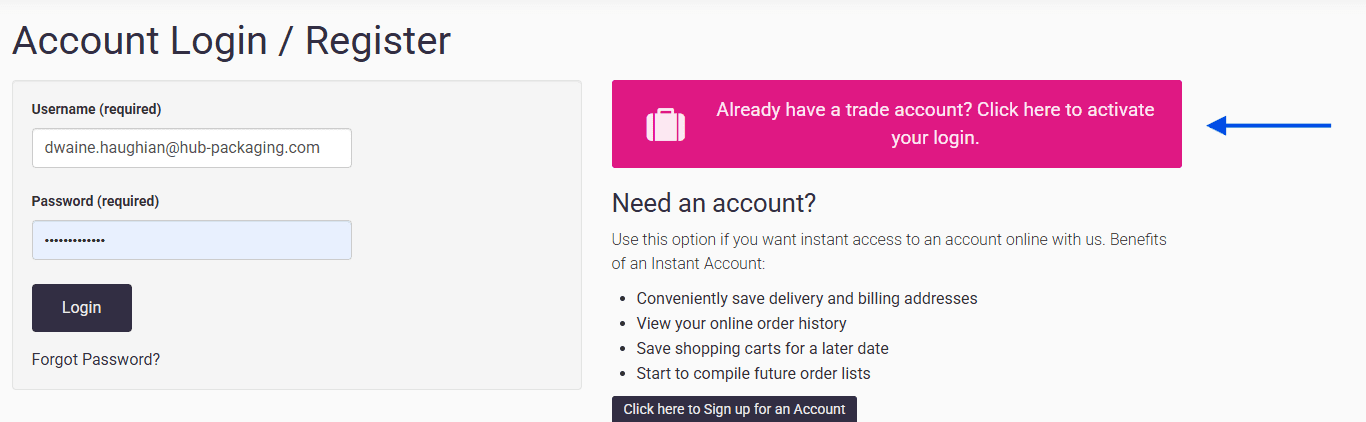
To activate your online account, please use the same email address you provided on your offline trade account form. This ensures your details match and allows your pricing to be verified and applied correctly. Please ensure your email address is correct.
Please Note: Using the wrong email address can create an account, but pricelists won’t be individually included.
To Activate your account, please click on the link below:
When clicking the link above. Please click the pink button to then activate your account.
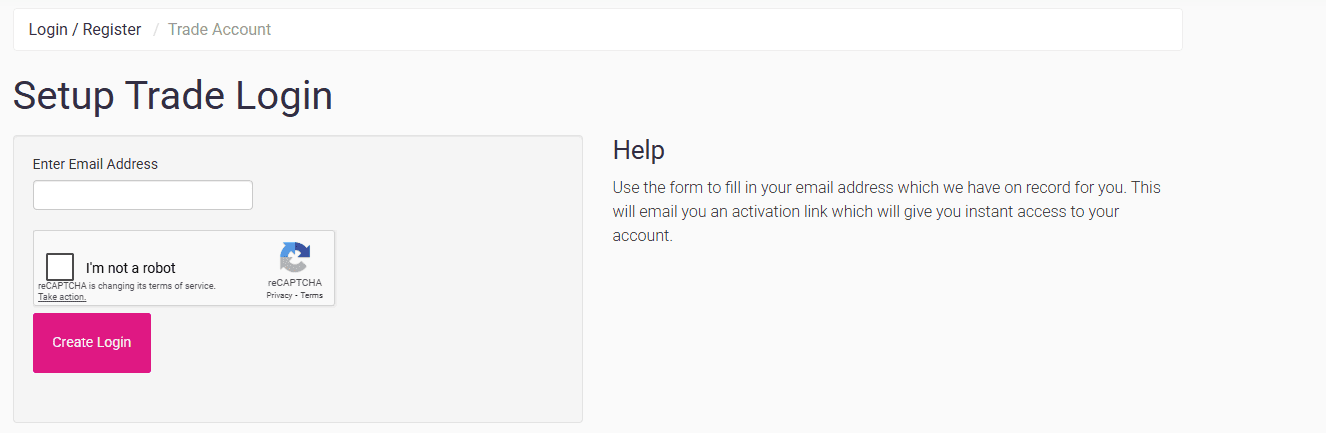
Step 2: Setup Trade Login - Enter Email
Enter the email you used for your offline trade account, complete the reCAPTCHA, and then click Create Login to set up your online account.
Step 3: Activation Email Link
Once activated, you will be taken to your account dashboard, allowing you to view your:
Account
Shipping Addresses
Saved Carts
Update Password
Favourites
Quotes
Invoices
Order Approvals
Need Additional Assistance?
Having trouble setting up your account or unsure which email is registered with your trade account? Contact our customer support team, and we’ll help you locate the correct email address to activate your account.
Customer Support 🗩
Having Trouble Setting up your Account?
For customer support, don't hesitate to reach out to us